Most IBM i shops are sitting on decades of business logic and institutional knowledge that nobody fully remembers writing. The original developers have retired or are about to. Documentation, if it ever existed, hasn’t kept up. So, every change request starts the same way — someone spends days digging through RPG code just to answer one question: what will this actually affect?
Impact Analysis (iA) has long solved that problem. Its core capabilities make it easier to visualize object and hierarchy correlations, understand code dependencies, track variable interactions, search source code, and analyze procedure relationships across applications. Now, with AI built in, it lets you simply ask your applications what you need to know, in plain English.
Here’s what the AI-powered iA can help you do.
1. Ask Questions About Your Applications in Plain English
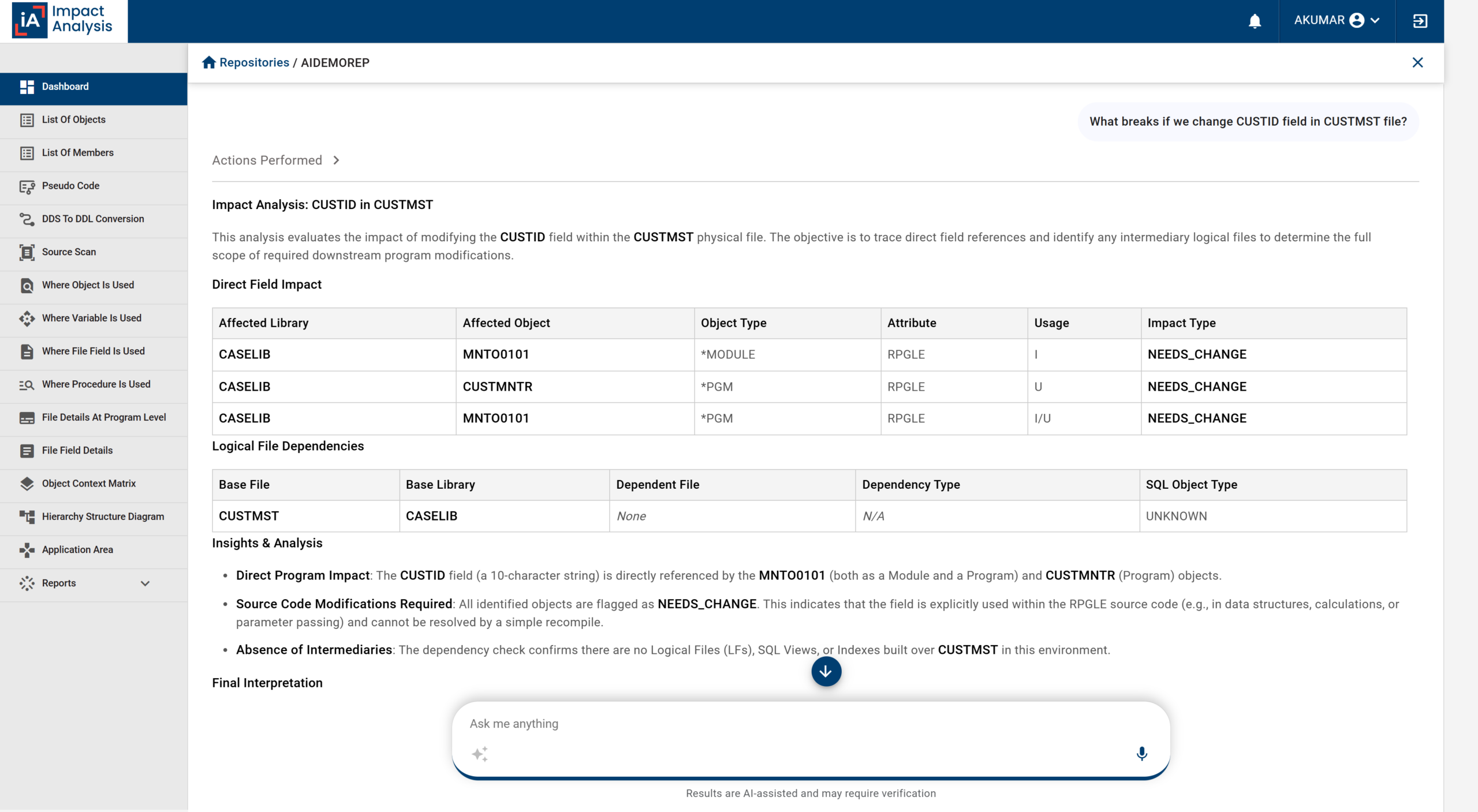
IBM i teams often spend hours searching through multiple programs, tracing dependencies, and reviewing source code to find answers. AI-powered iA reduces this timeline to minutes. By directly drawing responses from actual applications, it helps you:
- Understand the complete impact of proposed changes before development begins
- See who calls a program, what it calls, and how they connect across your entire application landscape, not just a single file
- Identify where a field, file, program, or variable is used across the system in seconds
This enables developers, analysts, and managers to make faster, more informed decisions while reducing the risk associated with application changes.
2. Generate Documents Automatically
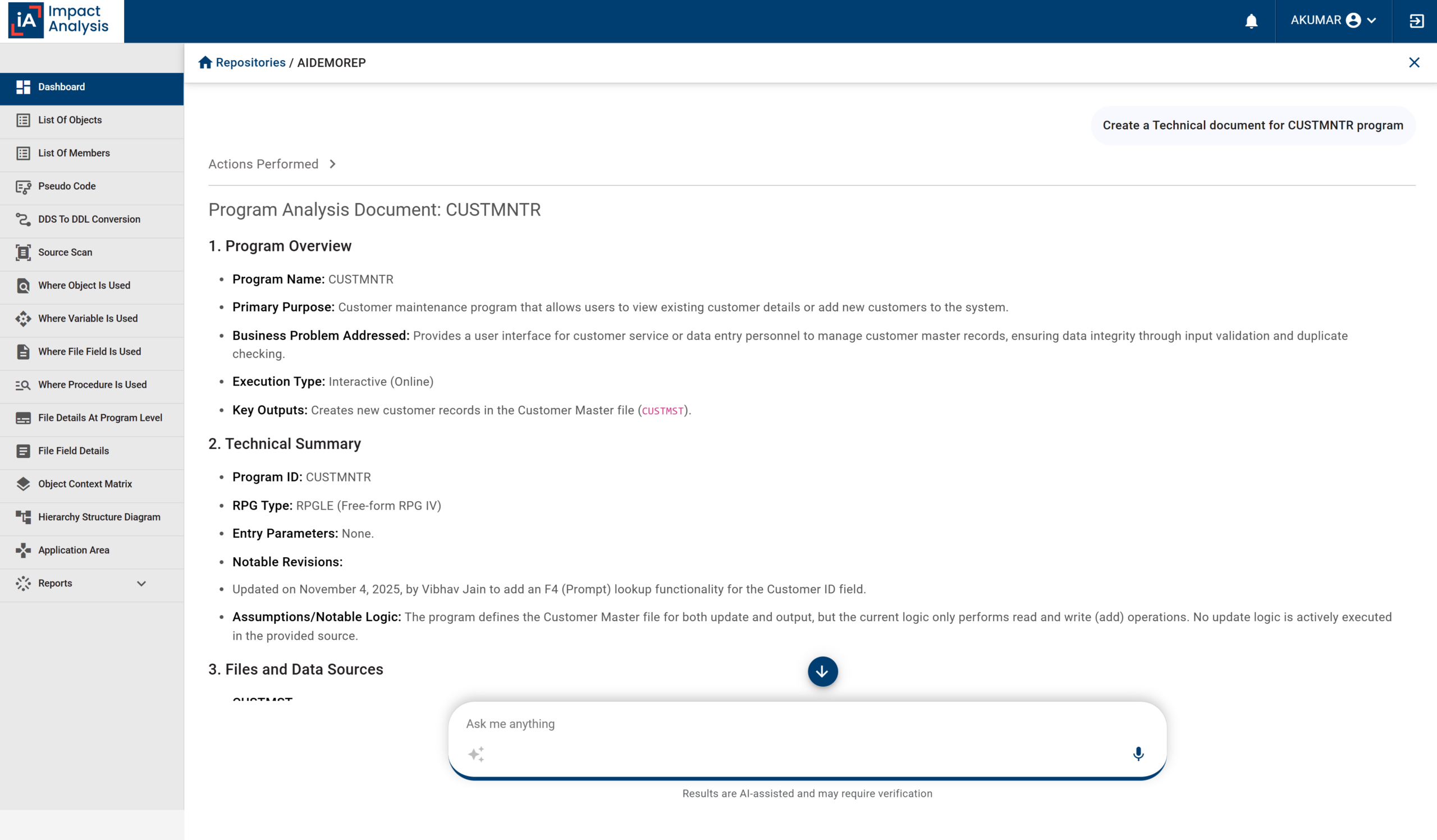
Documenting decades-old IBM i applications manually can be a time-consuming, inconsistent process that can easily be deprioritized under tight deadlines. With AI-driven iA, you can automatically generate the documentation teams actually need, directly from applications, in minutes. It can help you produce:
- Comprehensive technical specifications that help developers understand a program
- Functional documents that explain what a program does in business terms, for analysts and managers
- Ready-to-use test case documents, based on the actual business rules embedded within the code, for QA professionals
Moreover, every document can be exported to Word or PDF formats that teams can easily maintain, review, and share without starting from scratch each time. This reduces dependency on tribal knowledge, optimizes onboarding processes, and ensures critical information is accessible when it’s needed most.
3. Visualize Program Logic
Following hundreds of lines of RPG code, numerous procedures, and complex logic paths just to understand how a program works is tedious for experienced developers and nearly impossible for newer team members.
AI-powered iA simplifies this entire process. It automatically transforms a program’s logic into a single-page, visual flowchart. This enables both technical and non-technical teams to follow calls, data, decision points, loops, and processes throughout the program without reading a line of code.
By presenting complex logic in a visual format, iA makes it easier to understand, review, and hand off programs — especially ones nobody on the current team originally wrote. This helps teams accelerate analysis, improve collaboration, and gain clarity on applications that may have evolved over decades.
4. Chat with Decades-Old Code
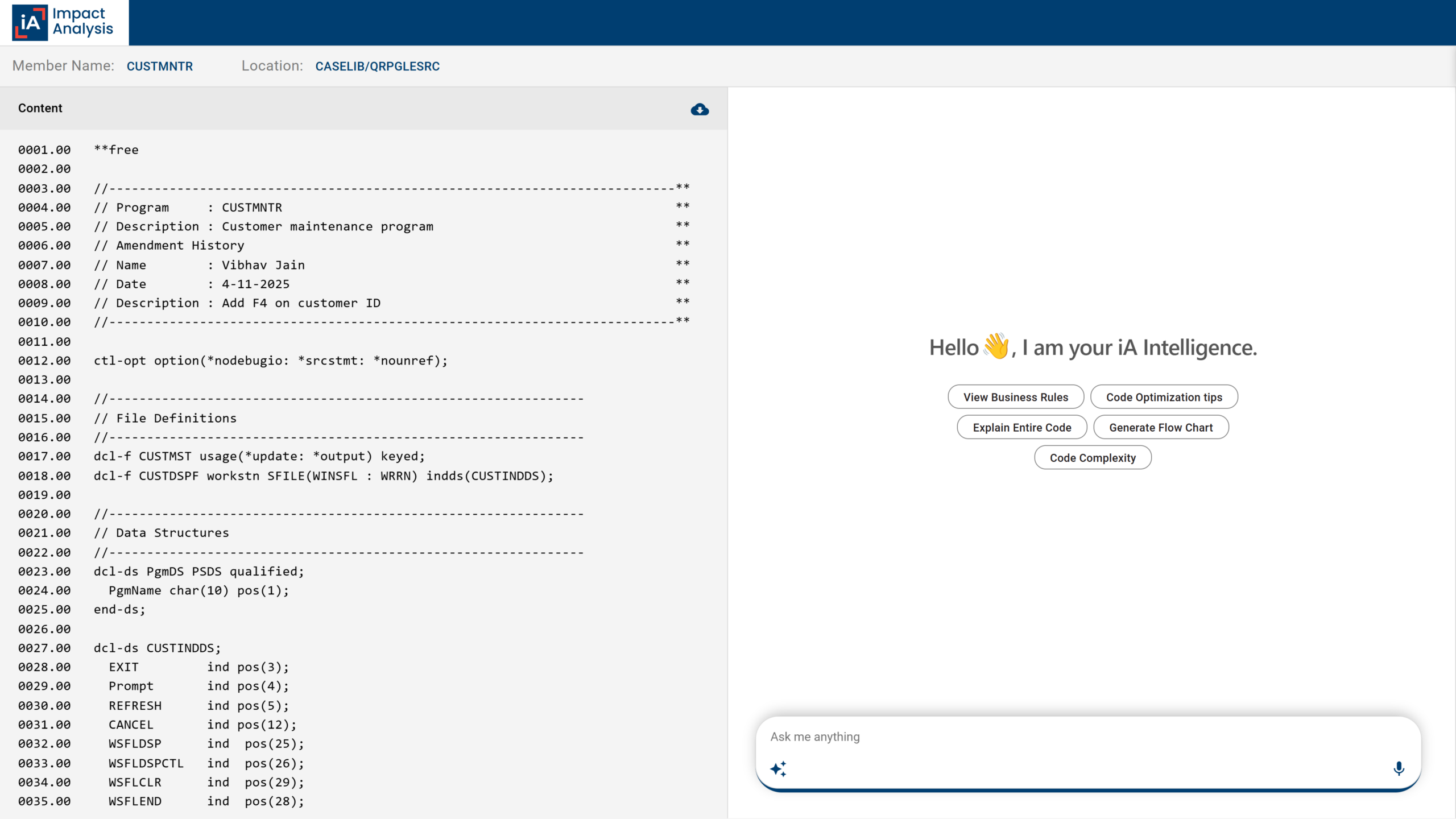
Many IBM i applications have been running for years, sometimes decades, making it difficult to understand why certain business rules, calculations, or processes exist. When documentation is missing and the original developers retire, gathering that information can take significant time.
AI-driven iA streamlines this process. By enabling you to interact directly with a program and ask questions about its code in plain English, it lets you:
- Derive clear explanations of a program’s logic, calculations, and business rules alongside the code
- Translate cryptic, decades-old RPG code into understandable responses that developers, business analysts, and managers can easily follow
- Understand unfamiliar applications in days rather than months
This makes knowledge transfer easier, reduces reliance on institutional memory, and renders even the oldest, least-documented programs approachable for the entire team.
5. Track Application Health
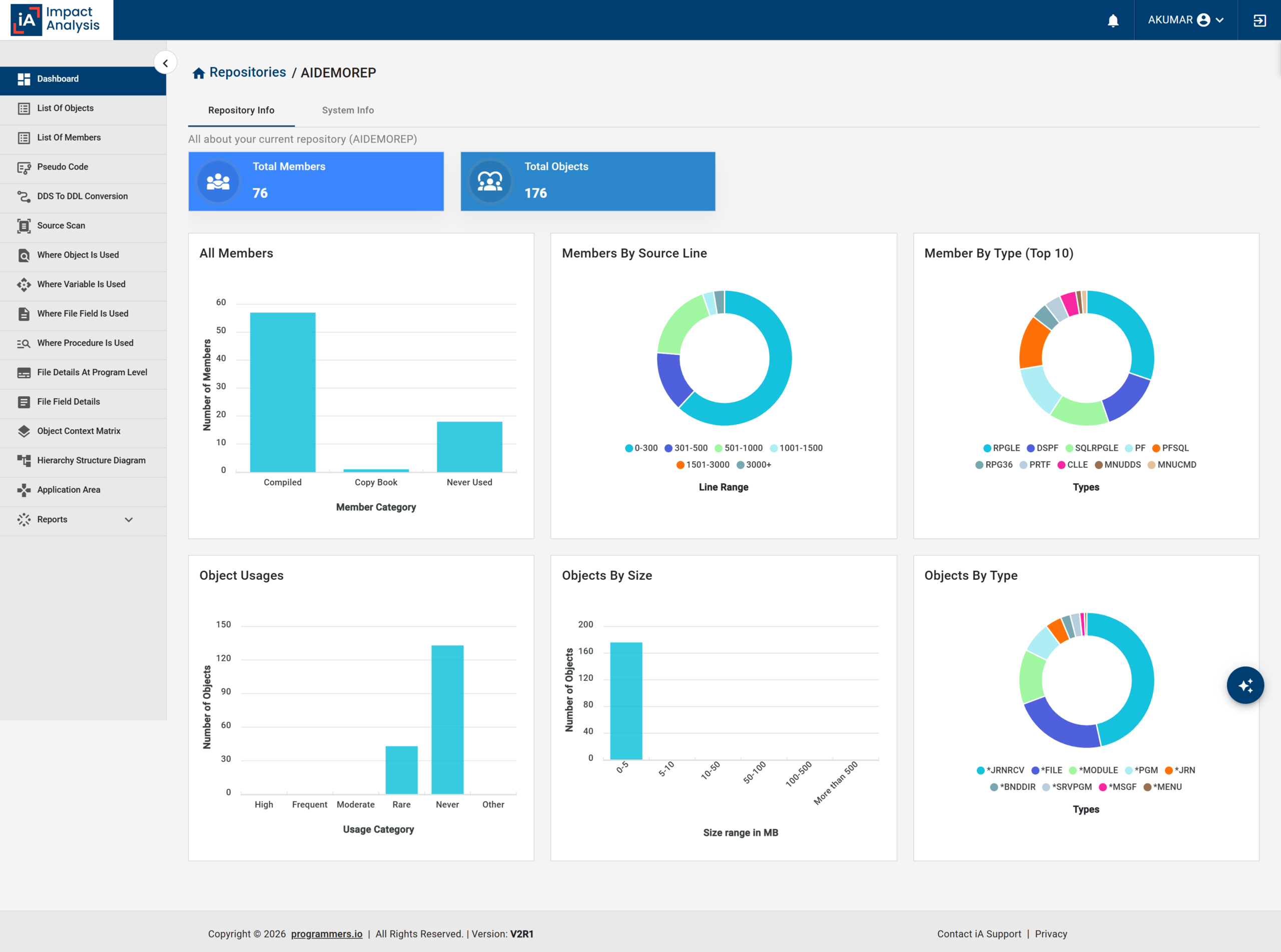
As IBM i applications evolve over the years, your team may often lack visibility into which areas are actively used, overly complex, or no longer needed. This makes maintenance, modernization, and risk assessment more difficult than they need to be.
AI-powered iA uncovers insights that are often buried within your applications, offering a clearer picture of their health. It helps you:
- Identify dead code — including files and programs no one uses anymore
- Pinpoint highly complex programs where changes may carry greater risk
- Track when objects were created, last changed, and last used
- Understand the age of your codebase and where modernization effort should be prioritized
With an ongoing, accurate picture of application health, iA helps you reduce unnecessary risks, prioritize maintenance activities, and make more informed decisions about future transformation initiatives.
6. Access It Anywhere
Access to critical application insights shouldn’t depend on installing special software or waiting on IT provisioning. Whether you’re reviewing a change request, investigating an issue, or trying to understand how a program works, the right information should be available to everyone who needs it.
AI-powered iA makes application insights accessible across the organization. By fitting into the workflow your teams are used to, it enables you to:
- Interact with your IBM i applications right from a web browser — no specialized software required
- Use it inside the coding assistants your teams already use
This ensures consistent information is available in real time to every authorized role — eliminating information silos, enhancing collaboration, and ensuring everyone can make decisions based on the same accurate understanding of applications.
Where AI-Powered iA Draws the Line
AI-powered iA is designed to inform, not interfere. It does not alter business logic, change data, modify source code, or touch your IBM i environment. Since it operates in a strict read-only mode, there’s no risk of unintended changes to your production systems. By drawing answers based on what already exists in your system, it offers a reliable starting point, not a final decision.
A Quick Glance at AI-Powered iA Features
| Feature | How It Helps |
| Plain-English Application Queries |
|
| Automatic Document Generation |
|
| Program Logic Visualization |
|
| Multigenerational Code Explanation |
|
| Application Health Tracking |
|
| Flexible Accessibility |
|
The Shift Ahead
For decades, IBM i has quietly run some of the world’s most critical business operations — often without the documentation, visibility, or institutional continuity to match its importance. As experienced developers retire and systems continue to evolve, the gap between what an application does and what a team actually understands about it only widens.
AI-driven iA doesn’t close that gap by replacing the expertise that built these systems — it closes it by making that expertise accessible again. Asking a question, generating a document, visualizing logic, or understanding old code are no longer specialized skills reserved for a few long-tenured developers. With iA, they become simply things any team member can do.
If you’re exploring what this could mean for your own IBM i environment, our IBM Champions are happy to talk it through.